Form Builder
Build forms with fields, settings, styles, and design controls
The SmartFormify editor has a field palette, a form canvas, field settings, field styles, and design settings. Use those controls to build enquiry, quote, booking, intake, feedback, and order-style forms.
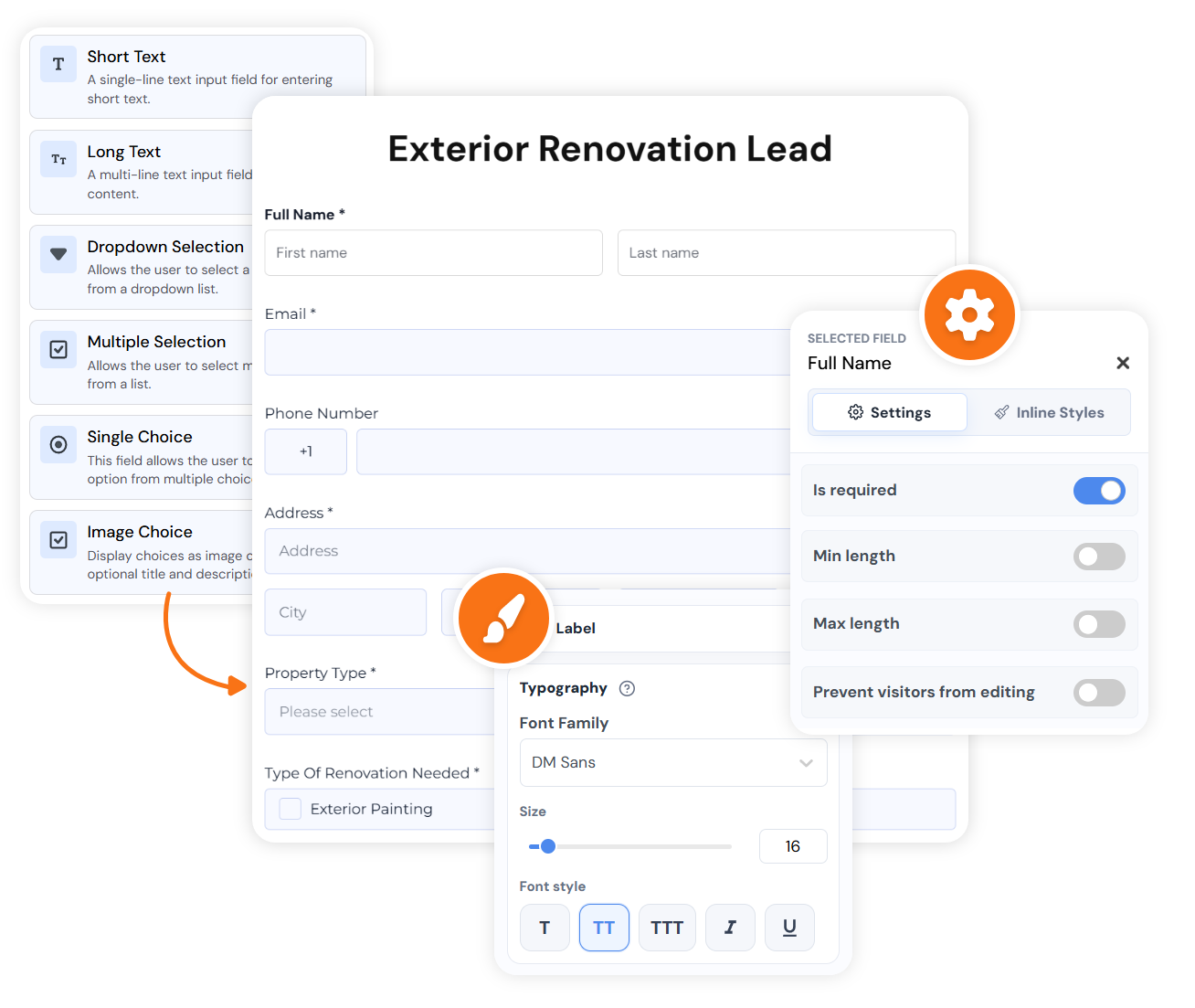
Exact editor structure
Add fields first, then edit how each field behaves and looks
The editor is split into Fields, Settings, Styles, and Design. Desktop users see the builder sidebar and canvas; mobile users open those panels from the editor controls.
Controls
Short text, long text, dropdowns, choice fields, image choices, and yes/no questions.
Contact information
Full name, email, phone, address, and the details needed before follow-up.
Media and files
Image upload, file upload, drawing, briefs, screenshots, and reference material.
Feedback
Matrix, opinion scale, star rating, ranking, and structured feedback fields.
Date and time
Date, time, time slot, countdown, and timer fields for booking-style requests.
Legal
Signature and terms fields when the form needs confirmation before submission.
Ecommerce
Product, amount, billing, shipping, and payment fields for paid or order-style forms.
Layout
Welcome pages, headings, explanations, and structure for forms that need clearer flow.
Example
A useful form turns a vague enquiry into something you can review
Instead of "please contact me", the response can show service type, property size, preferred date, photos, and whether the visitor needs a phone call or a written quote.