
Conditional Logic
Show or hide fields based on previous answers
SmartFormify conditional logic uses rules. Choose a source field, set one or more conditions, then show or hide a target field when those conditions match.
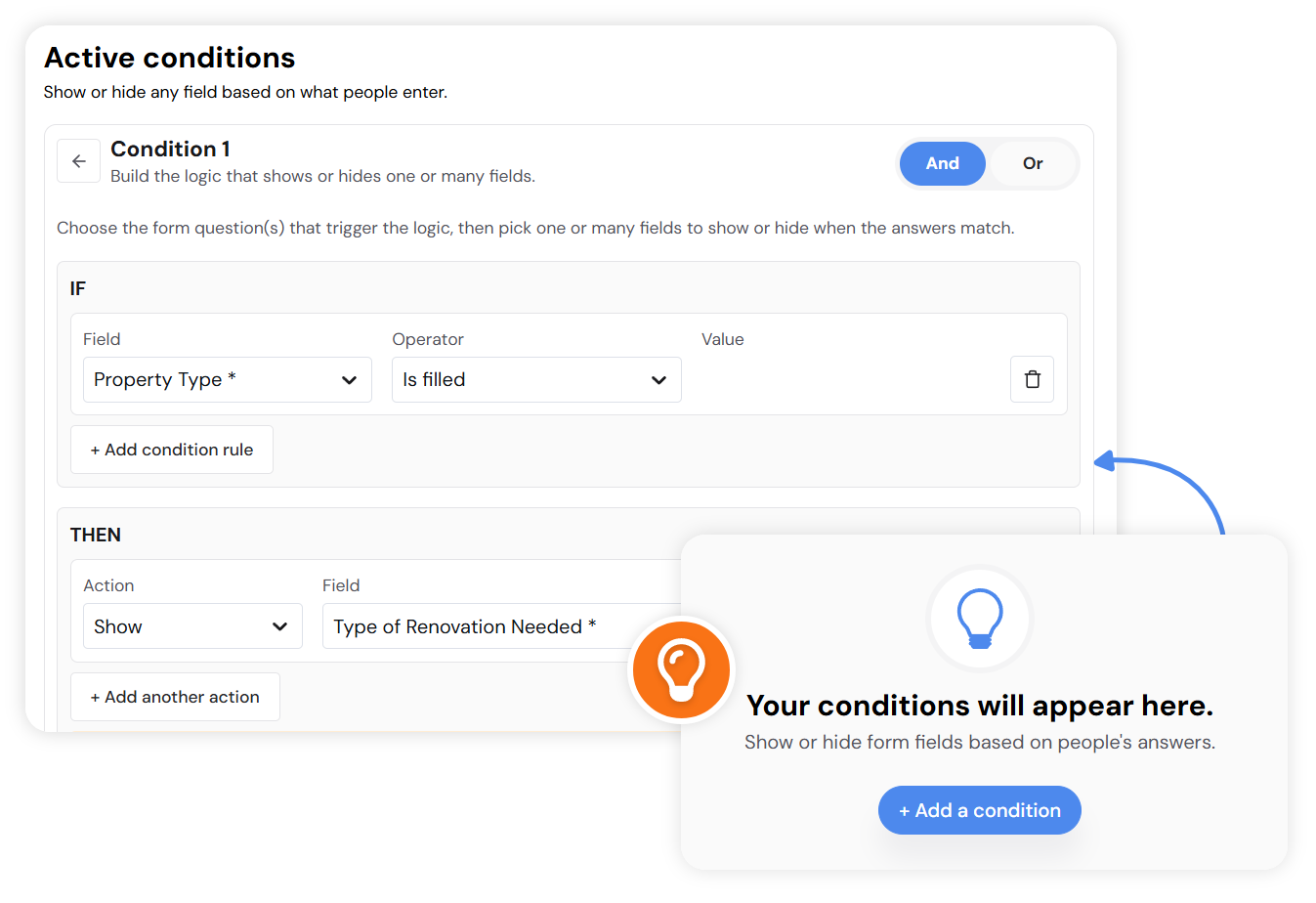
Exact rule builder
Logic is built from conditions and one target action
In the logic manager, a condition can match ALL rules or ANY rule. The action is intentionally simple: show a field or hide a field.
Hide field
Remove a field from the form path
Use Hide Field when a question should not appear after a visitor chooses a certain answer.
Show field
Reveal the next field only when needed
Use Show Field when a follow-up field depends on a selected option, filled answer, date, number, or upload state.
Supported checks
Conditions change based on the source field type
Text, numbers, choices, dates, times, boolean fields, and upload fields expose the operators that make sense for that type.
Text and number fields
contains, starts with, ends with, equals, not equals, empty, filled
Choice fields
selected, not selected, empty, filled
Multi-choice fields
includes option, does not include, empty, filled
Date, time, and upload fields
date/time comparisons plus filled or empty checks where supported
Edit
Open an active condition and change its source field, rules, match type, or action.
Pause or activate
Disable a condition without deleting the rule setup.
Delete
Remove a condition when the form no longer needs that behavior.