
Smart Flow
Turn each form field into a focused step
Smart Flow is the one-question-at-a-time mode inside the form designer. Turn it on when a quote request, intake form, booking request, or enquiry form needs several details without showing one long page.
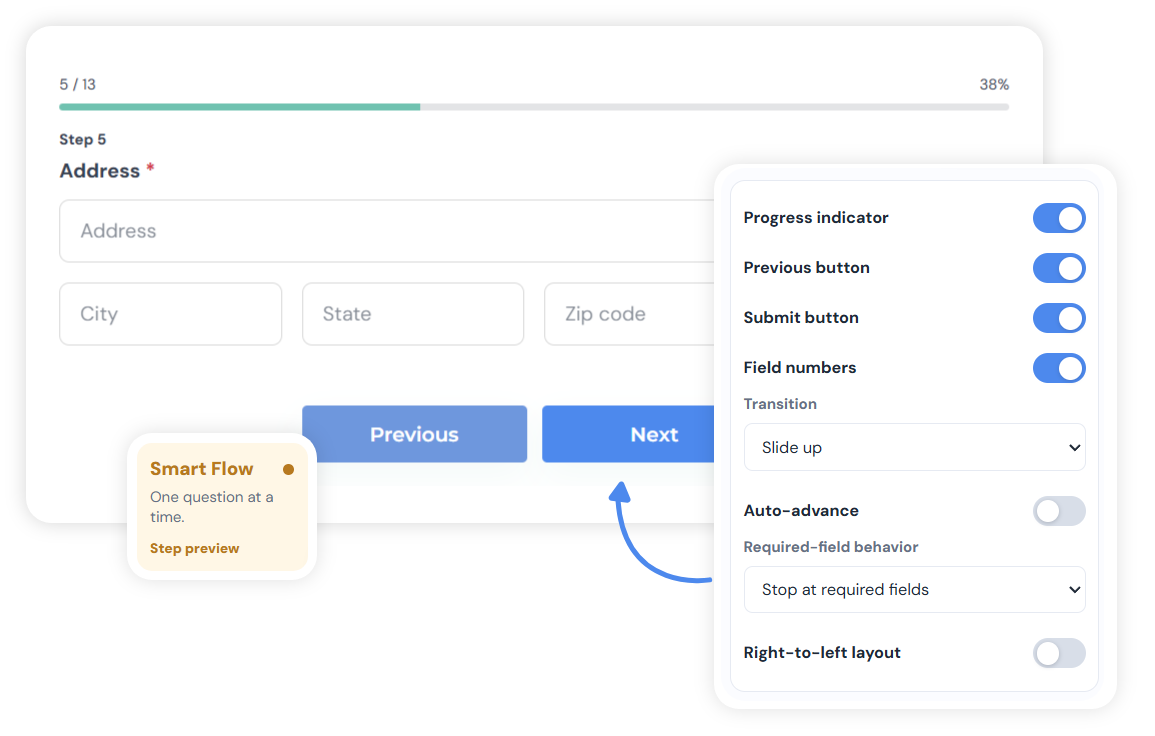
Smart Flow demo
Same form, focused visitor flow
Build the form once. Smart Flow changes the visitor experience into clear, validated steps.
Build the form normally
Add every field in the editor as usual.
Turn on Smart Flow
Design Settings changes the same fields into steps.
Visitor moves step by step
Progress, validation, Back, and Submit follow the active field.
Visitor preview
One active field at a time
01
What service do you need?
02
Upload reference files
03
Where should we reply?
Where it helps
Use Smart Flow to show one question at a time.
A photographer can ask for event type, date, location, package interest, and notes without making the first screen feel crowded. A contractor can ask for service type first, then photos, timing, location, and contact details.
Use case
Quote Requests
Ask scope, files, timing, and contact details in a clearer order.
Use case
Client Intake
Collect goals, background, files, and meeting preferences before the first call.
Use case
Booking Requests
Ask what someone needs before collecting preferred dates.
Feature
Conditional Logic
Pair Smart Flow with logic when different answers need different next questions.