
Offline Forms
Create printable offline versions of your forms
Turn an online form into a paper-ready version for print, PDF download, field work, office intake, or backup collection when a screen is not practical.
Paper-ready forms
Give every online form a print version
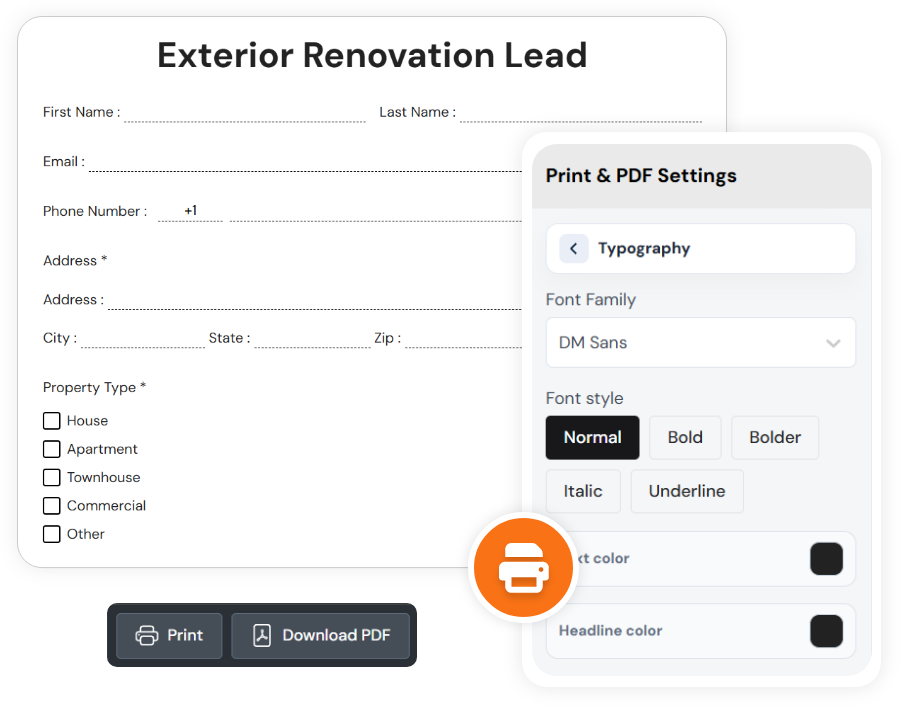
SmartFormify keeps the offline form separate from the response workflow. Open Offline PDF from the form share area, review the paper layout, adjust print settings, then print or download the form as a PDF.
Printable preview
See the form as fixed pages before printing, with page breaks and long forms split into physical pages.
Print settings
Control page size, orientation, margins, page border, text colors, typography, and field spacing.
Print or download
Use the toolbar to print directly or download a PDF copy when the plan includes offline export.
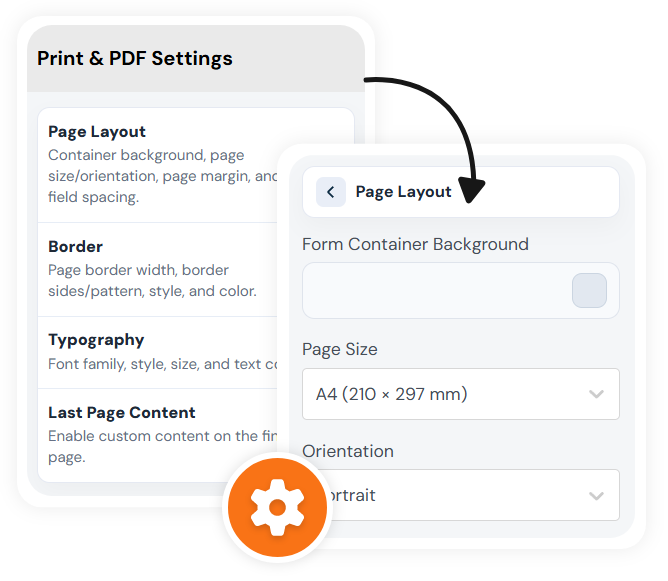
Print & PDF settings
Prepare the paper layout before anyone fills it out
Choose A5, A4, Letter, or Legal pages, switch portrait or landscape, tune the page margin, add a border, set text and input colors, and adjust the space between fields.
Offline PDF
Keep forms usable when paper is the better workflow
The offline view converts supported form fields into printable pages, respects page break settings, and can add a custom final page for extra notes or instructions.
File Upload, Image Upload, YouTube, and Embed fields are flagged in the offline toolbar because those field types cannot be printed as paper inputs.