
How to Collect Leads From ChatGPT, Lovable, Bolt and Other AI Websites
Learn how to collect leads from websites built with ChatGPT, Lovable, Bolt, and other AI website builders by connecting your forms to a reliable backend.
Artificial intelligence has changed the way websites are built.
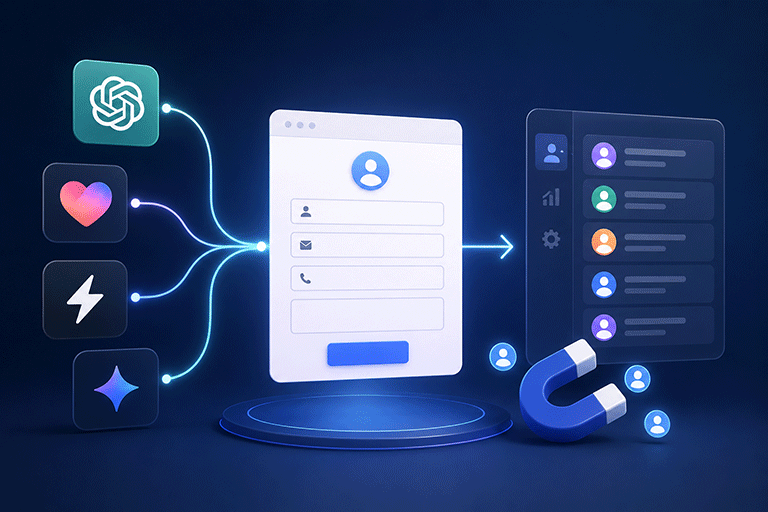
Today, you can ask tools like ChatGPT, Lovable, Bolt, and other AI website builders to create a complete website in just a few minutes.
The results are impressive.
You get professional pages, modern layouts, responsive designs, and even contact forms.
The website looks ready for visitors.
But there is one important question.
Can the contact form actually collect leads?
Many AI generated websites create the form itself, but the form still needs a reliable way to receive and manage customer enquiries.
Without that connection, potential customers may submit their information without it ever reaching your business.
Building a Website Is Only the First Step
AI tools are excellent at creating websites.
They can generate:
- Landing pages
- Business websites
- Portfolio websites
- Product pages
- Contact forms
However, collecting leads involves more than displaying a form on a page.
After someone clicks Submit, the information needs to be received, processed, and stored.
That is where many AI websites need additional setup.
What Happens After Someone Submits the Form
A visitor may complete fields such as:
- Name
- Email address
- Phone number
- Company
- Message
After clicking Submit, several things should happen.
The submission should:
- Reach your business
- Be stored safely
- Send a notification
- Display a thank you message
- Be available for future follow up
Without a proper backend, these steps may never happen.
Keep the Website AI Created
One of the biggest advantages of AI website builders is the speed of development.
If you already like the website they created, there is usually no reason to rebuild it.
You can keep:
- Your website design
- Your branding
- Your pages
- Your contact form
- Your customer experience
Only the submission process needs to be improved.
Connect the Existing Contact Form
Instead of replacing the form, simply connect it to a backend.
This allows the same form to continue working while customer enquiries are received and managed properly.
Visitors never notice the difference.
The improvement happens behind the scenes.
Store Every Lead
Every enquiry represents a potential customer.
Depending only on email notifications creates unnecessary risk.
Emails can be:
- Deleted accidentally
- Sent to spam
- Missed during busy periods
- Buried under other messages
A better solution stores every submission in a dashboard where it can be reviewed at any time.
Receive Instant Notifications
When someone contacts your business, your team should know immediately.
A connected backend can send notification emails as soon as a submission is received.
This helps your business respond faster and creates a better experience for potential customers.
Keep Every Lead Organized
As more enquiries arrive, organization becomes increasingly important.
Instead of searching through email folders, you can manage leads from one dashboard.
This allows you to:
- View new enquiries
- Search previous submissions
- Review customer information
- Track conversations
- Respond more efficiently
Everything stays organized as your business grows.
Help Reduce Spam
Public contact forms often receive unwanted automated submissions.
A good backend should include spam protection without making the form difficult for genuine visitors.
This helps your team spend more time responding to real customers instead of filtering unwanted messages.
Connect AI Websites With SmartFormify
SmartFormify Connect allows you to connect contact forms created by AI website builders without changing the website design.
Whether your website was generated with ChatGPT, Lovable, Bolt, or another AI website builder, you can continue using the same form while SmartFormify manages the submissions.
Once connected, SmartFormify can:
- Receive submissions
- Store responses
- Send notification emails
- Display after submission messages
- Help reduce spam
- Organize leads in one dashboard
This allows your AI generated website to remain exactly as it is while adding professional lead management.
A Practical Example
Imagine a marketing consultant using an AI website builder to create a new business website.
The website includes a contact form for consultation requests.
The design looks excellent, but there is no reliable system for managing enquiries.
Instead of replacing the form, the consultant connects it to SmartFormify Connect.
Now every consultation request is stored, notification emails are sent automatically, and customer enquiries are managed from one dashboard.
The website keeps the same appearance while becoming much more useful for the business.
Test Before Publishing
Before sharing your AI generated website, always test the contact form.
Submit several sample enquiries and confirm that:
- The form submits successfully.
- Notification emails arrive.
- Responses are stored.
- Thank you messages appear.
- Spam protection works correctly.
Testing only takes a few minutes and helps ensure every future customer enquiry reaches your business.
Common Mistakes to Avoid
Many people assume that because an AI website builder created a contact form, it automatically collects leads.
Others rebuild perfectly good forms when only the submission process needs improvement.
Some depend only on email notifications without storing submissions anywhere else.
Another common mistake is launching the website without testing the contact form.
Avoiding these mistakes helps ensure your AI generated website works as well as it looks.
Final Thoughts
AI website builders like ChatGPT, Lovable, Bolt, and similar tools have made building websites faster and easier than ever before.
However, creating a contact form is only part of the process.
To reliably collect leads, every form needs a backend that can receive submissions, send notifications, store responses, and help manage customer enquiries.
With SmartFormify Connect, you can keep the contact form your AI website builder created while adding reliable lead collection, spam protection, email notifications, and one central dashboard for managing every enquiry.
This allows you to enjoy the speed of AI website creation without sacrificing the reliability your business needs.
Share this post


Latest posts
7 min read
How to Connect AI Built Websites to a Form Backend
8 min read
How Agencies Can Manage Client Website Forms More Efficiently
8 min read
Best Contact Form Solution for Small Businesses
5 min read
How to Centralize Leads From Multiple Websites
8 min read
What Is a Form Endpoint and Why Does Your Website Need One?